Important
La traduction est le fruit d’un effort communautaire auquel vous pouvez vous joindre. Cette page est actuellement traduite à 67.44%.
8.2. Leçon : Combiner les analyses
Utiliser les résultats vectorisés de l’analyse raster vous permettra de sélectionner seulement ces bâtiments sur un terrain approprié.
Objectif de cette leçon : Utiliser les résultats de la vectorisation du terrain pour sélectionner des parcelles appropriées.
8.2.1. ★★☆ Essayez vous-même
Enregistrez votre carte actuelle (
raster_analysis.qgs).Ouvrez la carte que vous avez créée lors de l’analyse vecteur précédente (vous devriez avoir enregistré le fichier sous le nom
analysis.qgs).Dans le panneau Couches, activez ces couches :
hillshade,solution(orbuildings_over_100)
En plus de ces couches, qui devraient déjà être chargées dans la carte lorsque vous avez travaillé dessus auparavant, ajoutez également l’ensemble de données
suitable_terrain.shp.S’il vous manque certaines couches, vous devriez les trouver dans
exercise_data/residential_development/Use the Intersection tool () to create a new vector layer called
new_solution.shpwhich contains only those buildings which intersect thesuitable_terrainlayer.
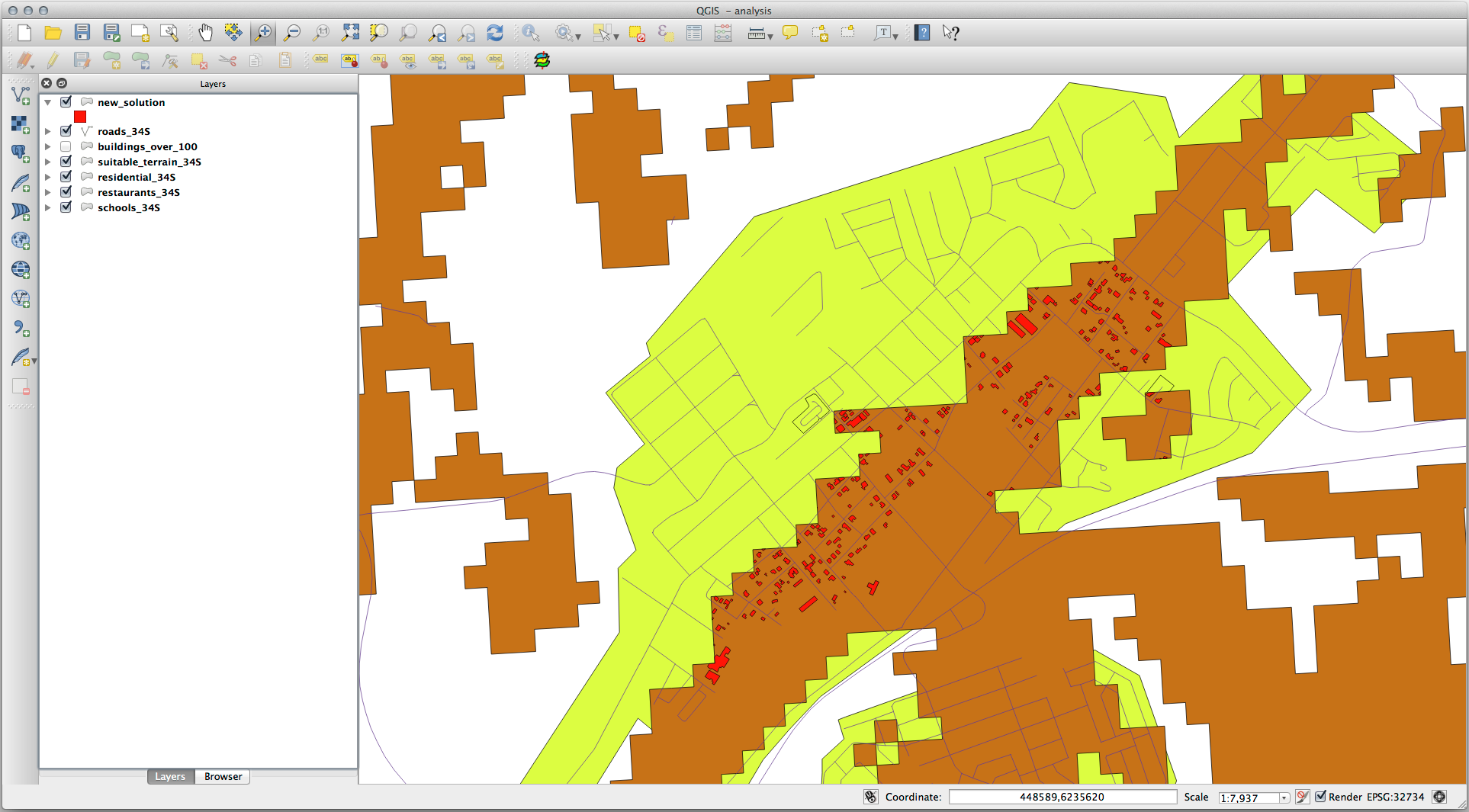
Vous devriez maintenant avoir une couche qui montre certains bâtiments comme votre solution, par exemple :
8.2.2. ★★☆ Essayez vous-même : Inspecter les résultats
Look at each of the buildings in your new_solution layer. Compare them
with the suitable_terrain layer by changing the symbology for the
new_solution layer so that it has outlines only. What do you notice
about some of the buildings? Are they all suitable just because they intersect with
the suitable_terrain layer? Why or why not? Which ones would you
deem to be unsuitable?
Réponse
You may notice that some of the buildings in your new_solution layer
have been « sliced » by the Intersection tool. This shows that only
part of the building - and therefore only part of the property - lies on
suitable terrain. We can therefore sensibly eliminate those buildings from
our dataset.
8.2.3. ★★☆ Essayez vous-même : Affiner l’analyse
Vous pouvez voir dans les résultats que certains bâtiments qui ont été inclus ne sont pas vraiment appropriés, nous pouvons donc affiner l’analyse.
We want to ensure that our analysis returns only those buildings which fall
entirely within the suitable_terrain layer. How would you achieve this?
Use one or more Vector Analysis tools and remember that our buildings are all
over 100m squared in size.
Réponse
À l’heure actuelle, votre analyse devrait ressembler à ceci :
Considérez une zone circulaire, continue sur 100 mètres dans toutes les directions.

Si elle est supérieure à 100 mètres de rayon, alors soustraire 100 mètres de sa taille (de toutes les directions) laissera une partie au milieu.
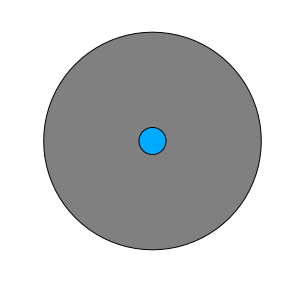
Therefore, you can run an interior buffer of 100 meters on your existing
suitable_terrain vector layer. In the output of the buffer
function, whatever remains of the original layer will represent areas where
there is suitable terrain for 100 meters beyond.
Pour démontrer :
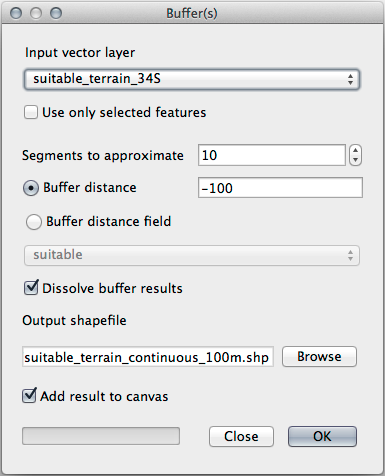
Go to to open the Buffer(s) dialog.
Configurez-la comme ceci :
Use the
suitable_terrainlayer with10segments and a buffer distance of-100. (The distance is automatically in meters because your map is using a projected CRS.)Save the output in
exercise_data/residential_development/assuitable_terrain_continuous100m.shp.If necessary, move the new layer above your original
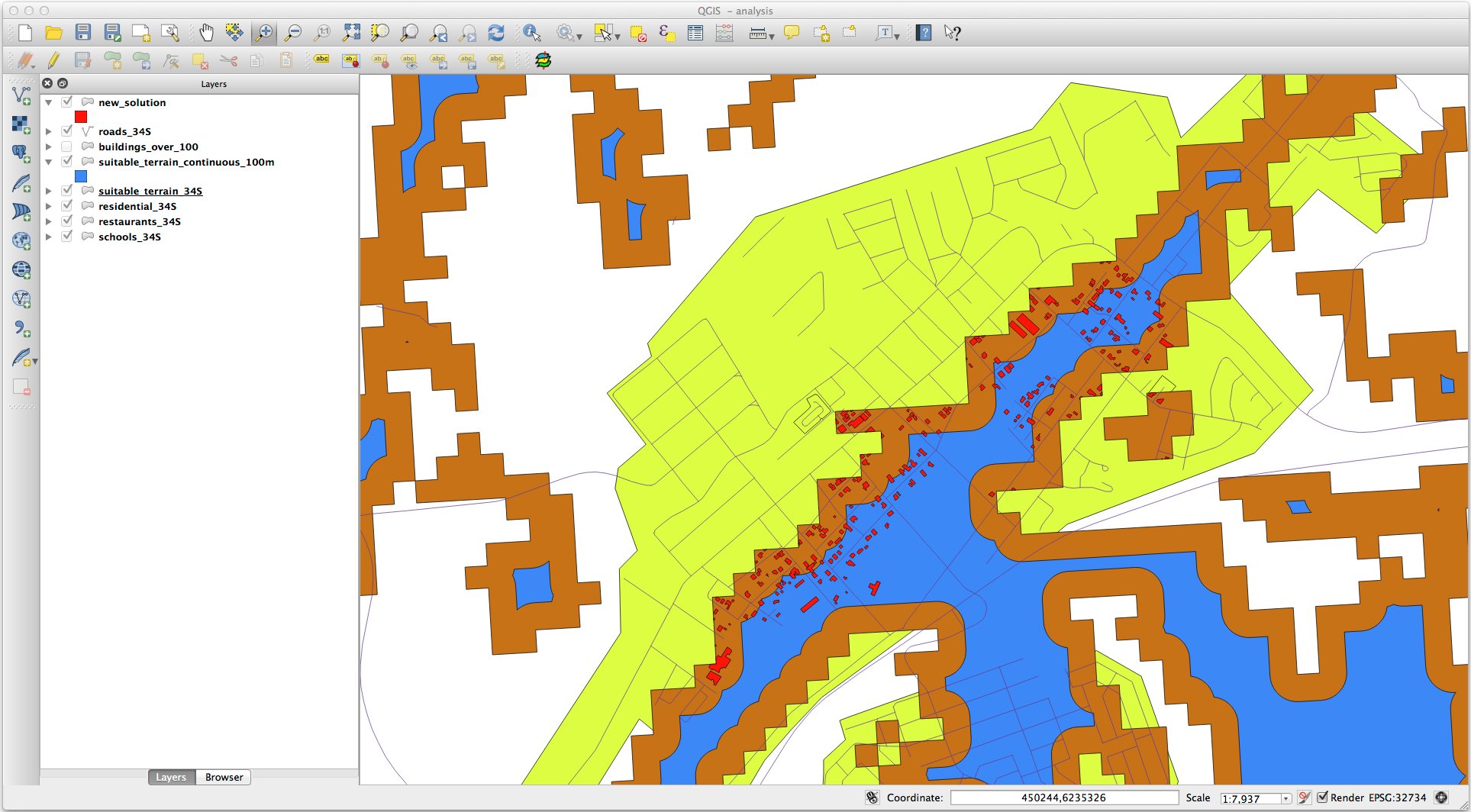
suitable_terrainlayer.Vos résultats ressembleront à peu près à ceci :
Now use the Select by Location tool ().
Définissez-le comme ceci :
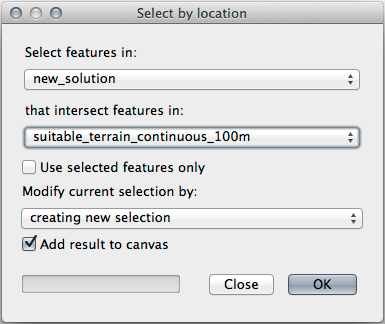
Select features in
new_solutionthat intersect features insuitable_terrain_continuous100m.shp.Voici le résultat :
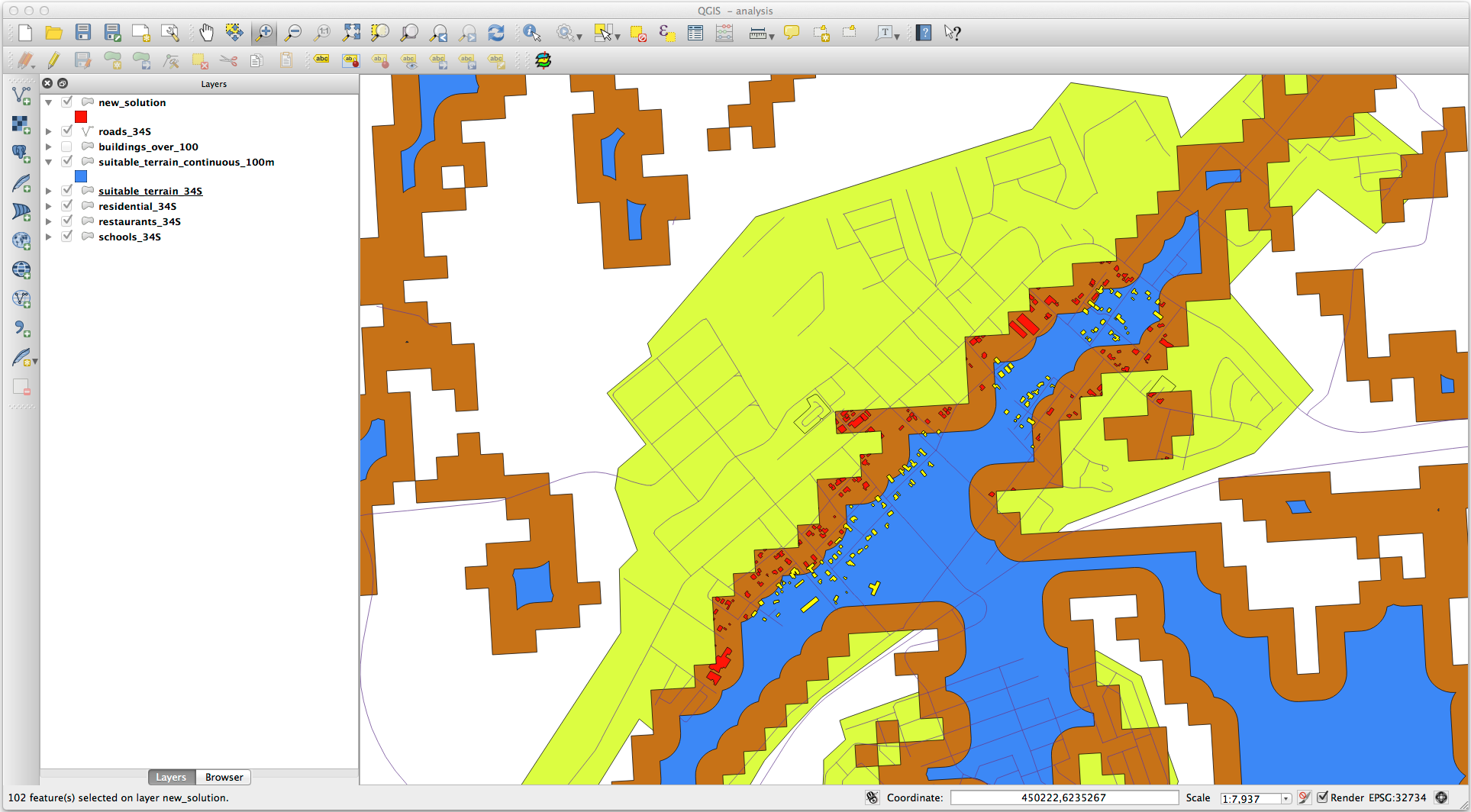
The yellow buildings are selected. Although some of the buildings fall partly outside the new
suitable_terrain_continuous100mlayer, they lie well within the originalsuitable_terrainlayer and therefore meet all of our requirements.Enregistrez le nouveau fichier dans le dossier
exercise_data/residential_development/sous le nomfinal_answer.shp.
8.2.4. Conclusion
Vous avez maintenant répondu à la question originale de recherche, et pouvez donner une opinion (avec raisons, soutenu par l’analyse) pour une recommandation concernant la propriété à développer.
8.2.5. La suite ?
Vous présenterez ensuite ces résultats dans le cadre de votre deuxième travail.